04:39W19
Your Email Recovery Page Was Set Up in 2015. What Changes Now, and in What Order
The advice on recovery numbers and security questions reversed itself over a decade, and switching over involves holds and forfeits that are worth knowing before you start.
Digital4 min
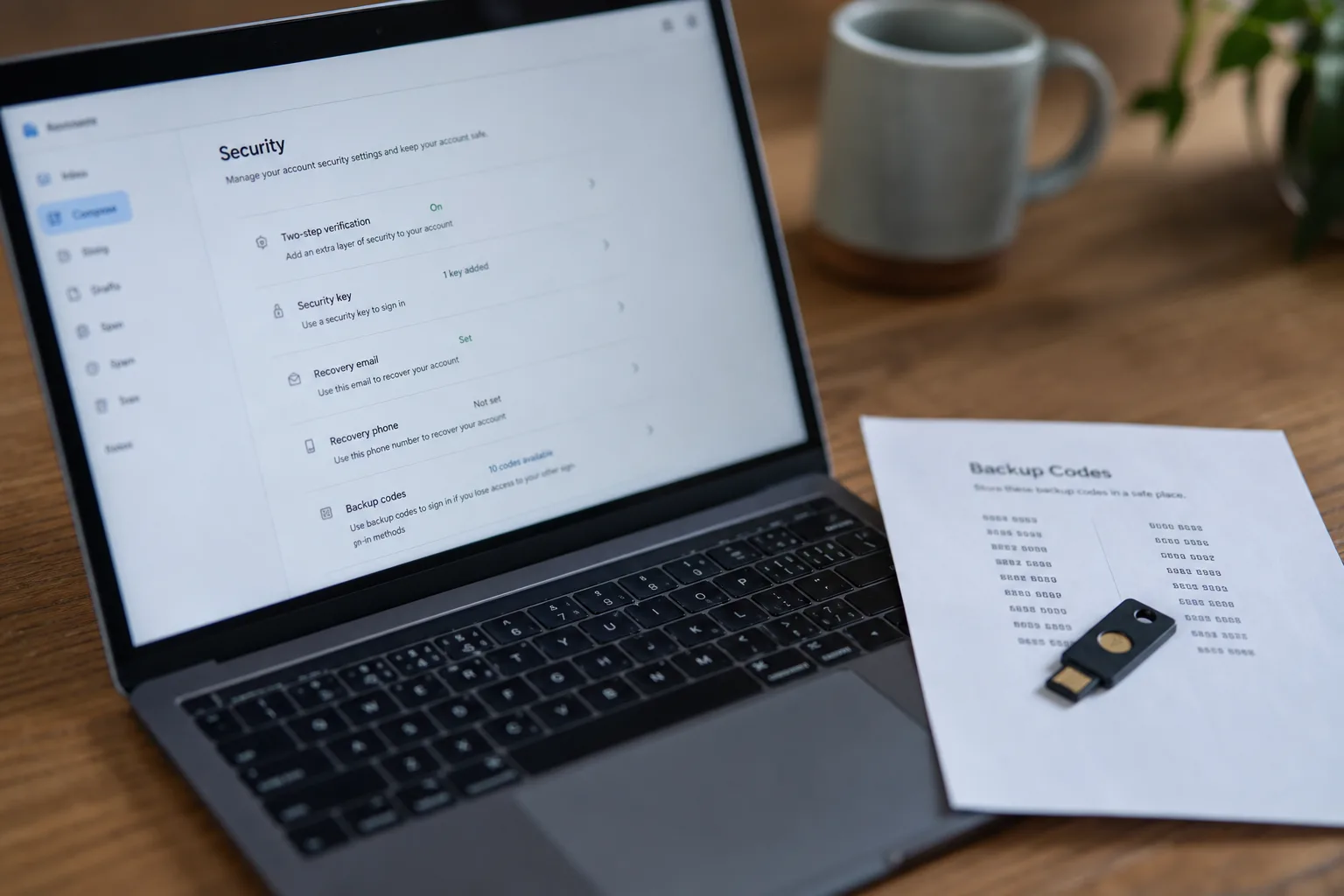
Somewhere in the account settings of the email address you have used since college, there is a page that was filled in once and never revisited. It probably holds a cell number you no longer carry, an alternate address at a job you left, and two or three security questions whose answers you invented on a Tuesday afternoon in 2015 and have not thought about since. That page is the most consequential set of choices in your digital life, because every other account you own can be reset through it. The advice that produced those entries has since reversed itself, quietly, without anyone writing to tell you.
What follows is one narrow case: a single personal email account, the recovery and sign-in settings attached to it, and the specific sequence for bringing it forward without locking yourself out along the way.
What the page asked you for a decade ago
The guidance circulating around 2015 was consistent and, at the time, defensible. Add a cell number so a code could be texted to you. Answer security questions, because a shared secret was better than nothing. Name an alternate email so a link could be sent there. Set a long password, change it periodically, and treat the recovery options as a safety net you would never actually need. Every one of those instructions made an account harder to lose and, in a threat environment dominated by password reuse and database dumps, meaningfully harder to steal.
The trouble is that each of those entries also became a door. A texted code can be redirected by someone who persuades a carrier to move your number to a new SIM, a maneuver that requires social skill rather than technical skill. Security questions ask for facts that are, for most people, matters of public record: the street you grew up on, the high school mascot, your mother's maiden name. An alternate email at an employer you left years ago may now be controlled by someone else entirely, or may have been recycled. The safety net turned into the weakest wall.
What the same page asks for now
Current practice inverts most of it. A code generated by an app on your phone, or better, a physical security key or a passkey stored in your device's secure hardware, does not travel over a network that a stranger can talk their way onto. Passkeys go further by removing the shared secret altogether: the account holds a public key, your device holds the private one, and there is nothing to phish because there is nothing to type. Security questions are increasingly treated as a liability rather than a fallback, and where a provider still requires them, the useful move is to answer with random strings stored in your password manager. The National Institute of Standards and Technology is the federal body responsible for standards work on digital identity, and the shift in mainstream advice tracks that work closely.
The other change is philosophical. Ten years ago recovery was designed around the assumption that you would eventually forget your password and need a way back in. Now the design assumption is that the person trying to get back in might not be you, and providers have grown correspondingly reluctant to hand over an account on the strength of a text message. That is better security. It is also why the switch deserves some planning.
The part that is genuinely hard to reverse
Changing your second factor is not a settings toggle you can undo on a whim. Many providers apply a hold after a significant change to sign-in or recovery information, a cooling-off window during which the older recovery paths stop working and certain sensitive actions are blocked. The logic is sound, since it gives the real account holder time to notice and object if someone else made the change. It also means that if you remove your old number on Saturday, lose your phone on Sunday, and cannot find your backup codes, you are dependent on an automated identity review that may take days and may not go your way.
The forfeit is worth naming plainly. When you move from texted codes to an app or a key, you give up the one recovery path that works from any borrowed phone, anywhere, with nothing but your memory. In exchange you get a factor that cannot be stolen remotely. That is a trade most people should make, but it is a trade, and the cost lands on the day you are traveling and your bag is gone.
The order that keeps you signed in
Do the additions before any of the removals. Generate and print the backup codes first, before touching anything else, and put the sheet somewhere you would look for a passport rather than somewhere you would look for a receipt. Then add the new factor, an authenticator app or a security key, and confirm it works by signing out on a second device and back in. Register a second key or a second device if the provider allows it, because a single hardware key is a single point of failure. Only then update the phone number, correct the alternate address to one you actually control, and replace the security questions with stored random answers.
Leave the old number in place for a couple of weeks after the new factor is proven, assuming you still have the line. Removing it is the last step, not the first, and there is no prize for doing it quickly. Once every account that matters, the bank, the brokerage, the tax software, is pointed at an email you can reach through two independent methods, the page has done its job. Then write down where the backup codes live and tell one other person in the household, because the recovery path that only exists in your head is not a recovery path.
Set a reminder eighteen months out to open the page and read it again. Recovery settings decay quietly: numbers change, jobs end, devices are traded in, and the entry that was accurate when you typed it becomes a stranger's inbox. Ten minutes of maintenance keeps the whole structure standing.